Liquidity Pools
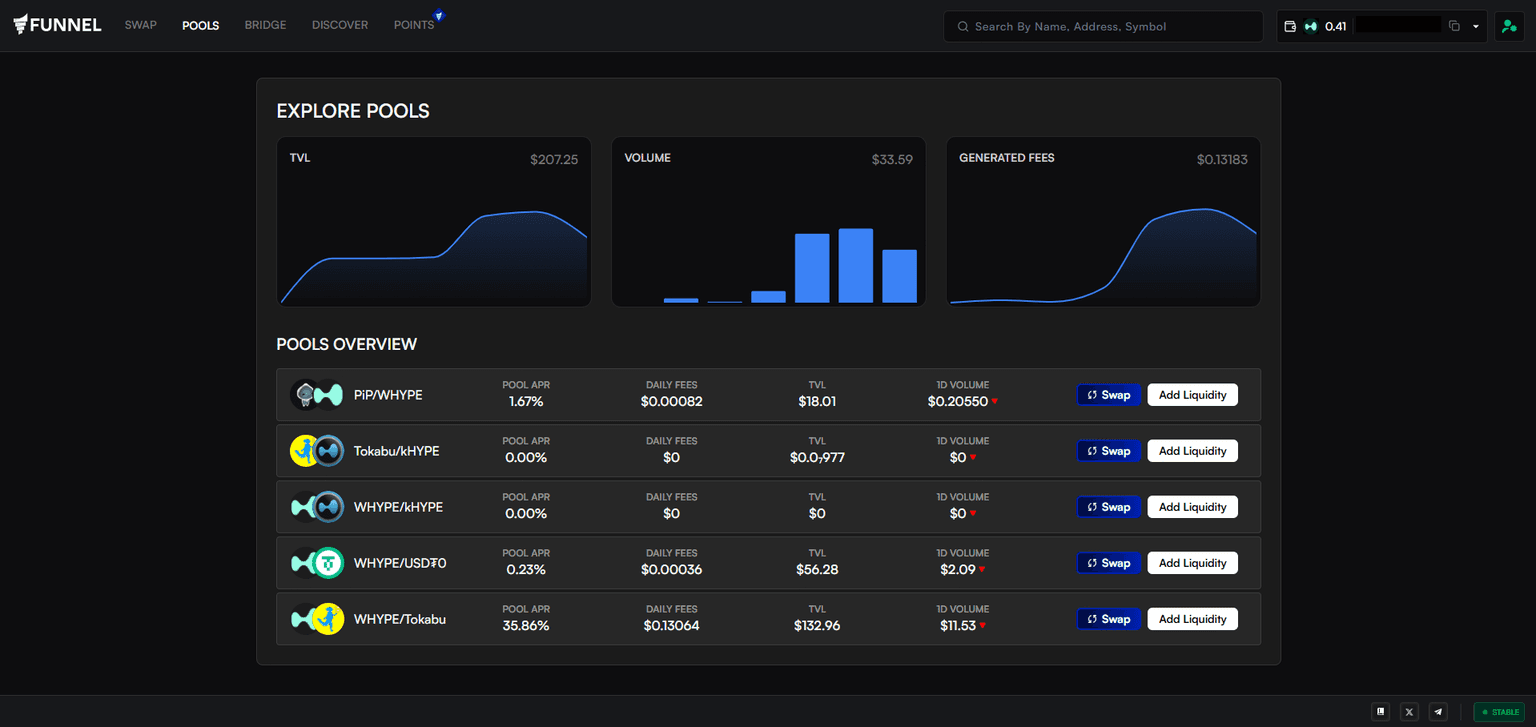
Explore Pools is where you can discover and analyze all available liquidity pools on Funnel. It provides an overview of key metrics like Pool APR, TVL, 24-hour volume, and total fees generated, allowing you to identify top-performing pools at a glance.
By depositing your assets into our native trading pools, you help facilitate swaps for other traders and, in return, earn a share of the trading fees and FUN Points.
Clicking Swap on any pool row takes you to the Swap page, configured with that pool’s tokens.
Create a Position
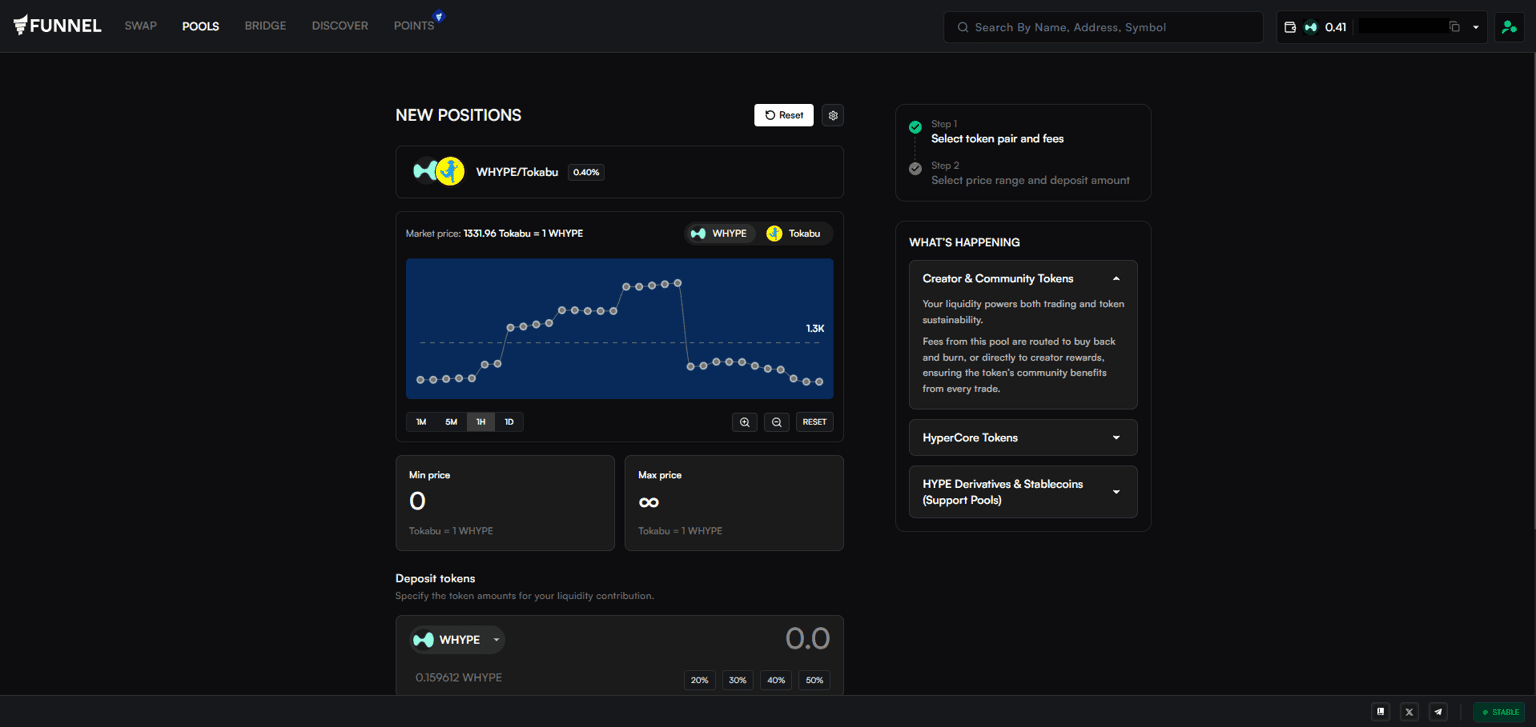
You can create a position by hovering over Pools and clicking Create Positions, or by clicking on any pool in Explore Pools.
Both will navigate you to Create Positions, where you can select the desired pair, set a fee tier, set a price range, and enter the amount of tokens to deposit.
Note: Currently, only full-range is supported. Custom ranges will be added in the next platform update.
View Positions
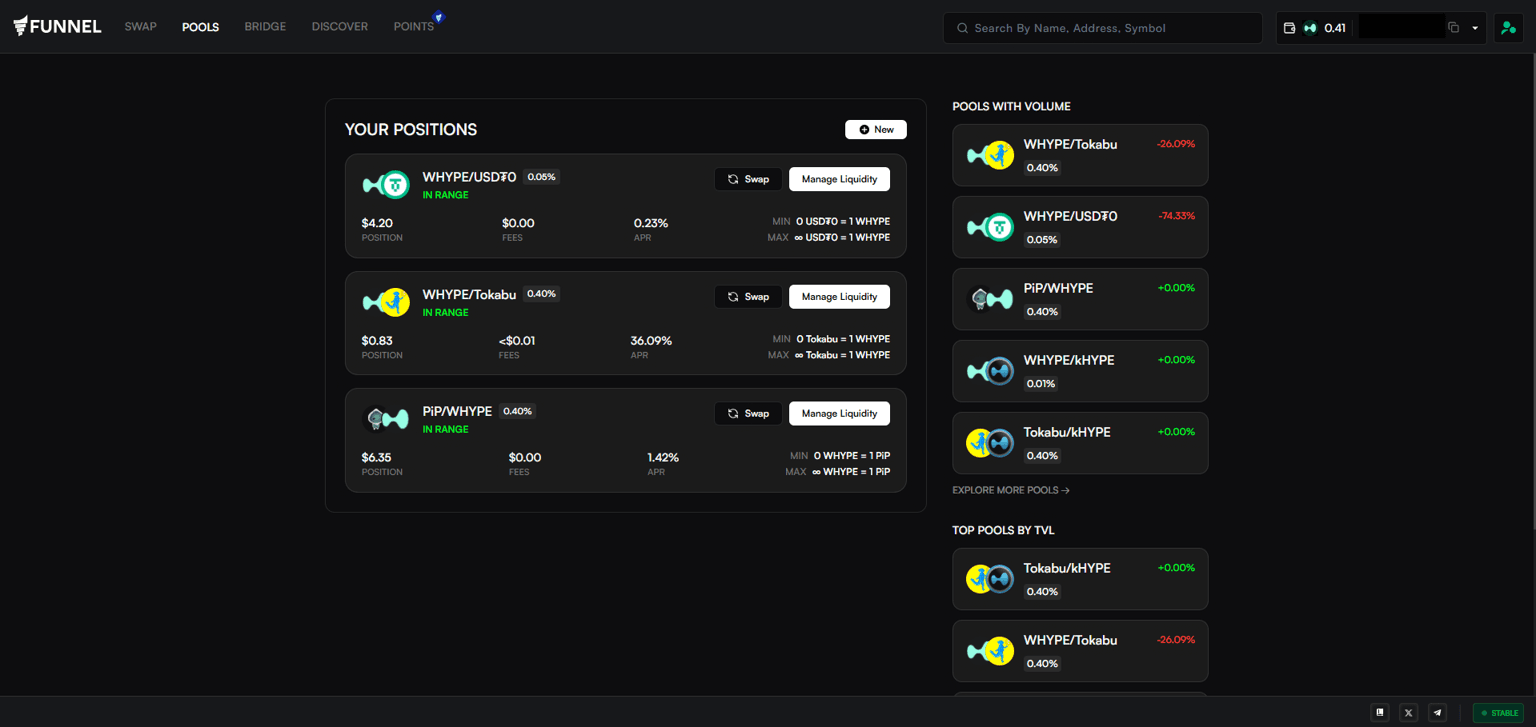
To view your active positions, click on ‘My Positions’. This shows you each of your LP positions, including the current APR of the position. Here, you can claim fees earned from all your positions and manage liquidity provided for each.
You also get a quick view of the top trending pools by Volume and TVL, so you can update your strategy for maximum fees in real time.