Execution
After completing your analysis, the Execution Panel is your dedicated module for placing trades. It is designed to be a simple interface, allowing you to act on your thesis immediately while all the relevant data is still in view.
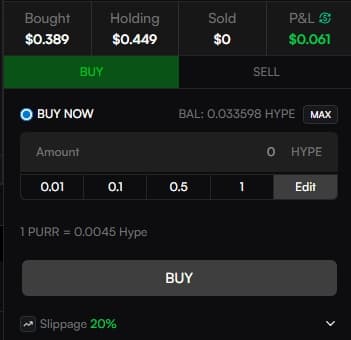
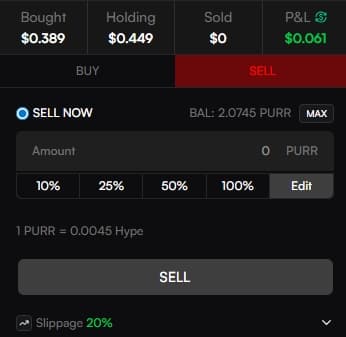
You can execute trades in two ways:
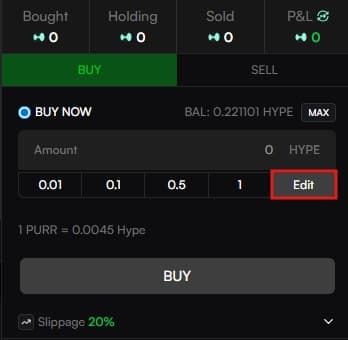
Custom Amount: For precise control, enter the amount of HYPE you wish to spend or the % of tokens you wish to sell.
Preset Buttons: For maximum speed, use the one-tap preset buttons given below. These buttons can be customized by clicking Edit.
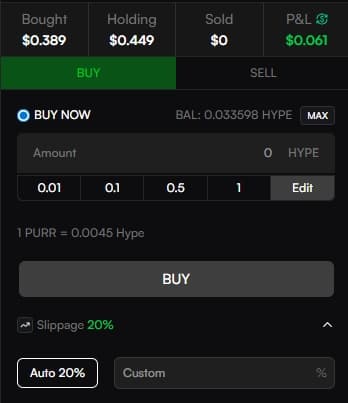
You can set slippage for a specific trade by clicking the down arrow and entering your desired slippage tolerance, giving you control during volatile markets.
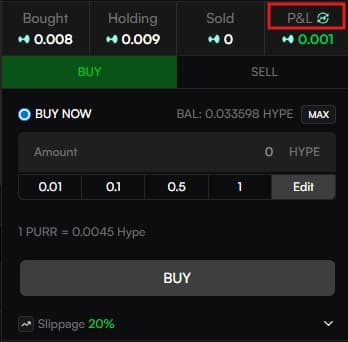
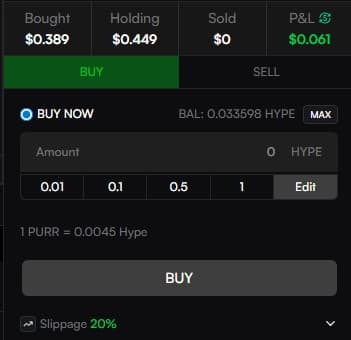
PNL Display Switch
A toggle allows you to switch your displayed PNL for an asset, in either HYPE and its equivalent dollar (USD) amount.